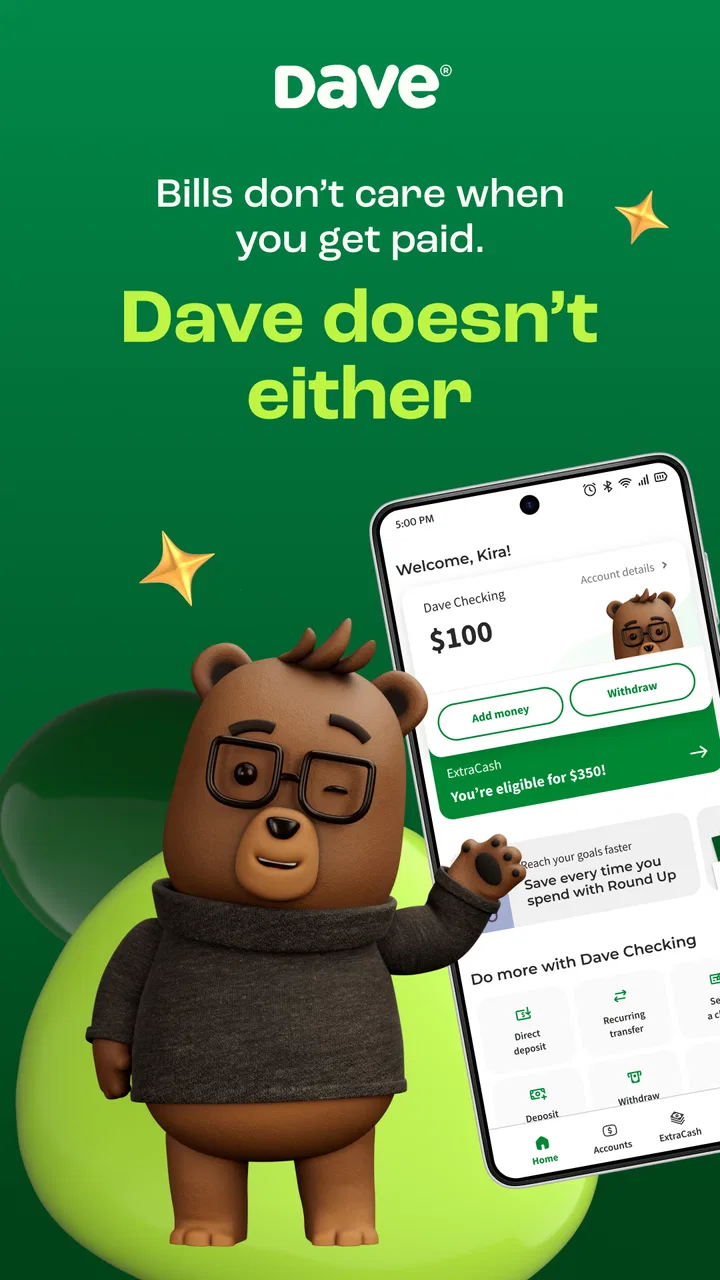
Dave: Credit, Cash & Money App
- 4.7
- Rating
- 10.00M
- Installs
- Free
- Price

 Analysis by App-foxy
I approached Dave: Credit, Cash & Money App as a practical finance tool rather than a complete replacement for a bank. Its promise is straightforward: help with short-term cash flow, provide a way to receive pay early, offer interest-earning options, and connect users with work opportunities. That combination makes it more ambitious than a simple budgeting app, but it also means trust and control matter just as much as convenience.
In my experience, the app makes the most sense for someone who occasionally needs to smooth out the gap between bills and income. It is less convincing as the only place to manage every part of your financial life. Dave Operating LLC is the developer, and the app sits in the finance category with a free price tag and an Everyone age rating. That makes it easy to try, but “free” should not be treated as a reason to skip the details on each financial action.
What the app is really trying to do
The main idea is to give users more flexibility around everyday money. Instead of waiting for the normal payday cycle, you can use the app to explore early-pay options, look for short-term cash support, earn interest, or search for work. I found that this broad approach is useful when your problem is timing rather than a permanent lack of income.
You May Also Like

 Blood Strike: 2.5 Anniversary
Blood Strike’s Loadouts Turn Every Drop Into a Tactical Gamble
A close look at Blood Strike’s custom loadouts: how fast access to signature weapons reshapes its battle royale rhythm, rewards preparation, and narrows the gap between fights.

 Pandora - Music & Podcasts
Pandora’s Music Is Easy to Start, but Harder to Recover
Pandora’s strength is its low-effort path from a seed to a station. Its weak spot is how much confidence it asks you to place in connection, setup, and quiet recovery.

 8 Ball Pool
 Is Built on Rivalries, Rematches, and Routine
A close look at the rivalries, rematches, shared routines, and unanswered safety questions that turn a quick pool match into a persistent mobile community.

 Samsung Music
’s Quiet Strength Is Playing What You Already Own
Its reach comes less from spectacle than from dependable access to a personal library. That simplicity is both the app’s strongest retention engine and its ceiling.

 AccuWeather: Weather Radar
AccuWeather Review: A Quick, Clear Forecast for Everyday Decisions
For everyday plans, the best forecast is the one you can understand quickly. AccuWeather makes rain timing, radar, and local conditions easy to act on, with a few trade-offs.

 Hill Climb Racing
Why Hill Climb Racing Still Turns Crashes Into One More Run
A tiny car, a bumpy hill and one more upgrade: Hill Climb Racing keeps resurfacing because its simple chaos makes every near-miss feel personal.
More From Our News Desk
View All News


A realistic example would be a user whose utility bill arrives several days before payday. A cash-advance feature may appear helpful in that moment, especially if the alternative is a late payment or an overdraft. The important question is not only whether money can arrive quickly, but whether the next paycheck will still cover rent, food, transport, and other fixed expenses after the advance is settled. I would use the app as a temporary bridge, not as permission to spend beyond a sustainable budget.
The app has built a sizeable audience. It has passed 10 million installs, with an average rating of 4.6 from roughly 587 thousand ratings and about 228 thousand written reviews. Those figures suggest that many people find the service useful, although popularity does not remove the need to understand account choices and repayment timing for yourself.
Dave is also different from a traditional bank account. A bank usually centers on deposits, payments, cards, statements, and long-term account management. Dave places more emphasis on short-term flexibility and finding ways to improve access to money. A conventional budgeting app, meanwhile, may be better if your priority is simply tracking spending without applying for financial services or connecting income information.
Where the everyday value appears
The strongest use case is irregular cash flow. Hourly workers, people with variable schedules, or anyone whose bills fall awkwardly between paydays may appreciate having several tools in one place. The work-finding element is particularly relevant for users who are not only trying to manage money but also looking for another source of income.
I also see value in separating immediate cash needs from longer-term earning. If you use the early-pay option every pay cycle, it can become part of your normal routine instead of an emergency tool. That is where I would slow down and review the full cost and timing of each transaction. A feature can be convenient while still making the following week tighter.
The interest-earning side gives the app a different role. It encourages users to think about leaving some money untouched rather than treating every dollar as available spending money. Still, I would not choose it solely because it mentions interest. The practical question is how clearly the app explains the account, the applicable terms, and the steps needed to move or access funds.
Controls that deserve attention before connecting money
Finance apps ask for a higher level of care than ordinary entertainment or shopping apps. Before I would connect an income source or financial account, I would read every screen that explains what is being connected, why it is needed, and what the user can change later. I would also check whether a permission is optional or required for the particular service I want to use.
That review is not a sign that I distrust the app automatically. It is simply good account hygiene. If I only want to explore work opportunities, I would avoid connecting financial information until the app clearly requires it for a chosen function. If I want early pay or cash support, I would make sure I understand which account receives funds, how repayment works, and whether the selected delivery method changes the experience.
One useful habit is to treat setup as a series of separate decisions rather than one large registration step. Read the identity and account screens independently. Note which notifications are necessary for a transaction and which are merely reminders. After setup, revisit the profile and security areas so you know where to update contact details, manage linked accounts, or close an option you no longer use.
The current version is 3.93.1 and the app requires at least iOS or Android version 9, depending on the device platform. I would still keep the operating system and the app updated, because finance software handles information that should not be left on an outdated installation. I would also use a strong device lock and avoid signing in on a shared phone.
Data-sensitive moments in normal use
The most sensitive moments are not necessarily the screens that look complicated. They are the ordinary actions that connect income, request money, move funds, or change where notifications are sent. I would pause before confirming each one, especially when the app presents several services together and it is easy to tap through quickly.
For example, an early-pay request may feel urgent because it is tied to a bill. That is exactly when I would check the delivery timing, the amount that will be available later, and any optional choice presented during confirmation. If a screen offers a faster route or asks for an additional contribution, I would read the wording rather than assuming it is mandatory.
The same caution applies to interest-earning features. I would want to know which balance is eligible, how transfers work, and whether the money remains immediately accessible in the way I expect. I would not move my emergency fund until I had tested the basic process with a small amount and understood the account controls.
Work discovery has its own privacy considerations. Browsing jobs can reveal interests, location preferences, availability, or employment goals. I would keep my profile focused on what is needed for a particular opportunity and avoid sharing extra personal details simply because a form makes them easy to add. The safest workflow is to review each application before submitting it and to remove old information when it is no longer useful.
Notifications also deserve a deliberate setup. Money alerts can be valuable, especially for incoming funds or account activity, but too many promotional or general notifications can make important messages harder to notice. I would keep transaction and security alerts enabled, then reduce anything that distracts from those essential notices.
How much control does the user retain?
The app is most comfortable when you use it selectively. You do not have to treat every available service as part of one package. I would begin with the feature that solves my immediate problem, learn how the account behaves, and only then consider the other tools. That approach makes it easier to understand what information is being used and which choices affect my finances.
I would also set a personal limit before requesting short-term cash. For me, that means deciding the maximum amount based on the next paycheck after fixed bills, not based on the largest amount the app shows as available. This is a simple but important distinction: eligibility is not the same as affordability.
Another practical control is keeping a separate note of upcoming deductions and transfers. Even if the app displays the relevant information, writing down the dates helps prevent a cash advance from disappearing into ordinary spending. I would check the account after every completed transaction and save confirmation details until the balance and timing look correct.
If you stop using a feature, do not assume that ignoring it is the same as disabling it. Visit the relevant account or service settings, review linked information, and look for the proper way to turn off or remove what you no longer need. I would also review the app after changing banks, employers, phone numbers, or email addresses, because stale account details can create avoidable access problems.
Where Dave compares well, and where it does not
Compared with a standard budgeting app, Dave offers more direct financial services and a stronger focus on immediate cash access. That is useful if your main concern is getting through a short gap. A budgeting app is usually the better choice when you want spending categories, long-term planning, and visibility without adding another cash-access option.
Compared with a traditional bank, Dave feels more focused on flexibility and earning opportunities than on being a full financial home. Someone who already has a reliable bank, a healthy emergency fund, and predictable pay may gain little from adding another money app. In that situation, the extra account relationship could create more places to monitor without solving a real problem.
Compared with a payday lender, an app built around early access may appear less intimidating, but I would still compare the complete terms and timing before accepting money. The correct comparison is not only the headline amount. Consider what happens to the next paycheck, what choices are optional, and whether the transaction fits your budget without repeating the same shortfall.
The work-finding feature is another point of distinction. A dedicated employment platform may provide deeper listings, employer information, or application tools, while Dave is more useful for someone who wants job discovery alongside money management. I would use a specialist job service when finding a new role is the primary goal, and Dave when it is one part of a broader short-term financial plan.
Who should try it carefully
I think Dave is worth considering for adults who want several money-related tools in one app and who are comfortable checking terms before using them. It may suit someone paid on a schedule that does not line up neatly with bills, or someone exploring additional work while trying to manage current expenses.
It is not the right choice for a person who wants a completely hands-off financial setup. The app can make access feel easier, but ease is not the same as financial improvement. If you regularly need advances to cover essentials, the more useful solution may be a spending review, a conversation with creditors, a larger emergency buffer, or a change in income.
I would also skip it if you are unwilling to monitor linked accounts and transaction timing. Finance apps reward attention. If you tend to accept prompts without reading them, forget which services you enabled, or rely on a single balance number without considering upcoming obligations, a simpler arrangement may be safer for you.
The app is free to install and use as a starting point, but I would still examine every transaction screen and account term before confirming anything. Free access does not mean every service has the same conditions, and the cost of a financial choice can be expressed through timing or account impact rather than an obvious purchase price.
My cautious verdict after using the full concept
Dave has a clear practical appeal: it brings early-pay access, short-term cash support, interest-earning possibilities, and work discovery into one finance app. I like that combination for users whose financial lives are active and uneven, especially when the immediate need is to manage timing rather than make a long-term investment decision.
My recommendation comes with a firm boundary. Use the app as a controlled tool, not as an automatic extension of your paycheck. Start with one service, read the account choices, keep security and transaction alerts visible, and check the effect on your next pay cycle before repeating the process. That workflow preserves user control and makes the app easier to judge honestly.
After its release on April 24, 2017, the app has grown into a widely installed finance product, and its 4.6 average indicates strong user satisfaction overall. Even so, the right question is whether its particular mix of services matches your habits. If you need short-term flexibility and are willing to stay alert, it can be useful. If you mainly need simple budgeting or a conventional bank relationship, another option may fit better.
My final view is positive but measured: Dave is most valuable when it helps you make a temporary cash-flow problem more manageable without becoming the reason the next one appears. Treat every connection, request, transfer, and account setting as a choice you control, and the app has a reasonable place in a careful financial toolkit.
FAQs for Dave: Credit, Cash & Money App
01What is Dave: Credit, Cash & Money App and how does it work?
Dave is a financial app designed to help users manage their finances more effectively. It offers features such as budgeting tools, cash advances, and credit-building opportunities. Users can link their bank accounts to track expenses, receive alerts for upcoming bills, and access up to $500 in cash advances without high interest rates.
02Is Dave safe to use for managing my finances?
Yes, Dave is committed to ensuring user safety and employs bank-level security measures. It uses encryption to protect your financial data and does not store your bank login credentials. Additionally, Dave partners with trusted financial institutions to ensure your money and data are secure.
03Are there any fees associated with using Dave?
While Dave charges no interest on cash advances, there is a $1 monthly membership fee. Users can choose to leave an optional tip when requesting advances. It’s important to review if any additional services, like credit building, may incur further costs before signing up.
04How quickly can I receive a cash advance from Dave?
Dave aims to provide a seamless experience by offering cash advances that can typically be delivered within three business days. For those in need of quicker access, there is an option for express delivery, which can provide funds within eight hours for a small fee.
05Can Dave help me improve my credit score?
Yes, Dave offers a credit-building feature that helps users improve their credit scores by reporting timely payments to major credit bureaus. This can be particularly beneficial for users looking to establish or rebuild their credit history over time.
Pros
- User-friendly interface and design.
- Instant cash advances available.
- No late fees or hidden charges.
- Automatic budgeting tools included.
- Connects with multiple bank accounts.
Cons
- Limited cash advance for new users.
- Requires access to bank account data.
- No credit score improvement features.
- Customer support response can be slow.
- App may not support all banks.

Dave: Credit, Cash & Money App
Gallery